 Published by Mike Payne
Last updated on November 27, 2026
•
28 minute read
Most businesses don't think about IT until something actually stops working. But MSP IT services exist to change that. A provider watches your systems around the clock, fixes small problems before they become outages, and charges a predictable monthly fee instead of sending an invoice after every crisis.
Most businesses don't think about IT until something actually stops working. But MSP IT services exist to change that. A provider watches your systems around the clock, fixes small problems before they become outages, and charges a predictable monthly fee instead of sending an invoice after every crisis.
For the provider, the hardest part is doing this across dozens of customer environments at once and proving the work pays off. This guide covers what MSP IT services include, how they work, what they cost, and how providers use monitoring to keep their promises.
Key takeaways
- MSP IT services are recurring, contract-based IT management delivered by an outside provider, usually under a service level agreement (SLA).
- Five services form the core: proactive monitoring and maintenance, cybersecurity and compliance, cloud infrastructure management, help desk and technical support, and data backup and disaster recovery.
- MSPs price per device, per user, in tiered packages, or as a flat monthly fee.
- Providers earn trust by catching problems before users notice them, which relies on the monitoring layer underneath every service.
- Network management: configuring and monitoring switches, routers, wireless, and WAN links.
- Endpoint management: deploying, patching, and retiring laptops, desktops, and mobile devices.
- Managed communications: hosted phone systems, video conferencing, and the quality monitoring behind them.
- IT consulting: planning, budgeting, and roadmaps, sometimes delivered as a virtual CIO service.
- Project work and project management: office moves, migrations, and hardware refreshes, typically billed separately from the monthly fee.
- No dedicated IT staff. The office manager or a founder handles IT on top of a day job, and it shows.
- A lean team with too much to do. One or two IT people cover users, servers, security, and projects. Co-managed IT often fits here.
- Regulated industries. Healthcare, finance, legal, and government contractors face compliance requirements that demand documented controls.
- Multiple sites. Branch offices, clinics, or retail locations need consistent IT without an engineer at each one.
- A major change. A cloud migration, merger, or office move creates a workload spike that internal teams can't absorb.

What Are MSP IT Services?
MSP IT services are literally managed IT services: a managed service provider runs part or all of a customer's IT environment for a recurring fee. The provider monitors systems, applies updates, supports users, and secures data under a service level agreement (SLA), rather than only responding when something breaks.
An MSP is a company that takes ongoing responsibility for some or all of another organization's IT. And the scope can vary a lot. One customer might hand over everything from laptops to servers, while another only wants security monitoring or a 24/7 help desk.
Providers sell this as a subscription. The customer gets a defined list of services, an SLA that sets response and resolution targets, and regular reporting. The provider then makes money by running the work efficiently across multiple customers.
You'll see several labels for the same idea, including managed IT services, managed IT services provider, technology services, and IT support. They overlap heavily, but they aren't identical. "IT support" can describe a one-off repair shop. A managed services model means the provider is accountable for outcomes like uptime, not just for answering tickets.
Two variants are worth knowing straight away. Co-managed IT means the MSP works alongside an internal IT team and covers the gaps, whereas a managed security service provider (MSSP) focuses on security alone, such as threat detection and incident response. Many MSPs offer security services too, but a dedicated MSSP goes deeper on that one area.
A Short History of Managed IT Services
Managed IT services grew out of break/fix support. Through the 1990s, most small and mid-sized businesses called a technician when something failed and paid by the hour. The model was simple, and it paid the technician more when more things went wrong.
But several shifts changed that. Remote management tools let technicians watch and fix machines without driving to the site. Application service providers in the late 1990s showed that companies would pay a monthly fee for IT delivered over a network. Providers started bundling monitoring and maintenance into flat monthly plans, because preventing outages cost less than fixing them.
The 2000s and 2010s widened the scope. Virtualization and cloud computing moved workloads out of the server closet, which made remote management practical for nearly every customer. Rising cyber threats and compliance rules such as HIPAA pushed providers to add security and data protection to their catalogs.
Today the category covers far more than remote repair. Providers manage Microsoft 365 tenants, public cloud accounts, security stacks, and backup, and customers measure them on service levels instead of hours worked.
How Do Managed IT Services Work?
An MSP assesses the customer's environment, agrees a service scope and SLA, deploys monitoring and management tools, and then runs the service continuously. Alerts and tickets flow to the provider's team, who fix issues, report results, and review the service with the customer regularly.
In practice, most engagements follow the same five steps:
- Discovery and assessment. The provider inventories devices, servers, cloud accounts, and users, and looks for risks such as unsupported hardware or missing backups.
- Scope and SLA. Both sides agree what's covered, what isn't, and how fast the provider must respond to and resolve issues of each priority.
- Onboarding. The provider installs its tools, sets up monitoring and alerting, documents the environment, and connects it to its ticketing system.
- Operations. The provider watches the environment, patches systems, handles tickets, and fixes problems, often around the clock.
- Reporting and review. The provider shows the customer what happened, how it performed against the SLA, and what to improve next.
Behind those steps sits a tool stack, and the labels sometimes confuse people. A remote monitoring and management (RMM) tool puts agents on endpoints and servers so the provider can patch, run scripts, and take remote control. A professional services automation (PSA) tool handles tickets, contracts, and billing. A network monitoring tool watches infrastructure such as switches, firewalls, servers, and bandwidth, ideally without installing agents on every device.
Many MSPs run all three, because each answers a different question. The RMM manages endpoints, the PSA tracks the work, and monitoring tells the provider when something is wrong and where.
Round-the-clock coverage is part of what customers buy. A 24/7 IT support promise means someone (or something) is watching at 3 a.m. and a defined process exists for waking the right engineer. Service level agreements (SLAs) turn that promise into numbers: a critical outage might require a response within 15 minutes, while a routine request might get a next-business-day target.
Core MSP IT Services
Most providers build their catalog around five core services. Each one rests on a monitoring layer, and the quality of that layer dictates whether the service is proactive or reactive. The sections below explain each service and what the monitoring underneath it needs to cover.
Proactive Monitoring and Maintenance
Proactive monitoring and maintenance is the foundation of managed IT. The provider continuously tracks the health and performance of IT infrastructure, including servers, network devices, endpoints and applications, and acts on warning signs before users notice them. Preventive maintenance covers the routine work that keeps IT systems stable: patch management, firmware updates, disk cleanup, certificate renewals, and hardware lifecycle planning.
This is where uptime is won or lost. A disk that fills up slowly, a switch port that starts dropping packets, or a certificate that expires next week all give warnings long before an outage. Spotting them requires data collected at short intervals, thresholds that someone has tuned, and alerts that reach the right person.
The monitoring layer for this service needs to cover availability (is it up?), performance (is it slow?), and capacity (how long until it runs out?). It also needs maintenance windows, so planned work doesn't trigger a flood of false alarms, and alert routing that matches the SLA. If every alert goes to everyone, nobody responds to any of them.
Cybersecurity and Compliance
Cybersecurity is the service customers ask about most, and it's also the broadest. A provider's security offering typically includes firewall management, network security, endpoint protection, email security, vulnerability scanning, user training, and incident response. Providers that go further add threat detection through a security operations center (SOC), either their own or a partner's, which is where MSPs and MSSPs overlap.
Compliance adds a second layer. Healthcare customers need to support HIPAA requirements, service companies often work toward SOC 2 reports, and many industries have their own rules for data protection. The MSP's job is to implement the technical controls, keep evidence, and help the customer answer auditors.
Be precise about what monitoring contributes here. Infrastructure monitoring doesn't detect threats. What it does do is keep the security stack healthy and visible. It confirms that firewalls and VPN gateways are up and not overloaded, tracks bandwidth for unusual patterns, and forwards alerts and logs to the security tools (such as a SIEM) that do the correlation and detection. A firewall that silently stopped working is a security incident waiting to happen, and monitoring catches that.
Cloud Infrastructure Management
Cloud infrastructure management covers the platforms customers now depend on: Microsoft 365, Azure, AWS, and hosted line-of-business applications. The provider handles configuration, user and license administration, access policies, cost tracking, and migrations. Providers also design cloud solutions that fit how the customer works, and managed cloud services often include the connectivity and identity pieces that tie cloud and on-premises systems together.
Microsoft 365 deserves its own mention, because for many small and mid-sized customers it's the most important system they own. When email or Teams goes down, the help desk phone rings within minutes. An MSP that can tell customers "Microsoft has an incident in your region" before they call looks very different from one that finds out from the first angry user.
The monitoring layer here needs to extend past the local network. It should check the status of cloud services, test critical functions such as mail flow, and watch the connections between sites and the cloud. Hybrid environments make this harder, since a problem can sit in the customer's network, the internet path, or the cloud provider.
Help Desk and Technical Support
The help desk is the part of the service users actually touch. It handles password resets, new-hire setups, software problems, and the endless "my laptop is slow" tech support tickets. Whether a provider calls it helpdesk support or a service desk, the function is the same. Most providers organize it in tiers: first-line staff resolve common issues quickly, and harder problems escalate to engineers with deeper skills.
Remote support makes this efficient. A technician connects to the user's device, fixes the problem, and closes the ticket without a site visit. Some providers add on-site support for hardware work and projects, and end-user support packages can include training and onboarding.
Monitoring changes how the help desk works. Without it, every ticket starts with a user reporting a problem. With it, alerts can open tickets automatically, so the team often starts working on an issue before the first call comes in. The best-run service desks measure how many incidents they found on their own versus how many users reported.
Data Backup and Disaster Recovery
Data backup and disaster recovery (BDR) protects the customer when something goes badly wrong: ransomware, a failed server, a deleted mailbox, or a flooded office. The provider designs the backup schedule, stores copies on and off site, and tests restores. Business continuity planning goes one step further and defines how the company keeps operating during an outage.
Two numbers shape every BDR design. The recovery point objective (RPO) is how much data the customer can afford to lose, and the recovery time objective (RTO) is how long they can afford to be down. A customer who can tolerate a day of lost data needs a very different setup from one who can lose fifteen minutes.
A backup that fails quietly is the worst kind of failure, because nobody finds out until the restore is needed. Monitoring should confirm that every job ran, report its result and duration, and watch the storage the backups land on. It should also alert when a scheduled job doesn't run at all.
Other Managed Services Providers Offer
Beyond the five core services, most MSPs round out their catalog with a mix of the following:
How Does an MSP Differ from In-House IT?
An in-house team is employed by one company and works only for them, while an MSP serves many customers under contract. In-house staff know the business deeply. An MSP brings broader tooling, round-the-clock coverage, and specialist skills, and many companies combine both through co-managed IT.
|
|
In-house IT |
MSP |
Co-managed IT |
|
Cost structure |
Salaries, benefits, tools, training |
Recurring fee for a defined scope |
Smaller internal team plus a recurring fee |
|
Coverage |
Business hours unless staffed in shifts |
Often 24/7 |
Internal team by day, MSP for after-hours and gaps |
|
Expertise |
Deep knowledge of one environment |
Broad skills across many environments |
Internal context plus MSP specialists |
|
Control |
Full day-to-day control |
Shared, defined by contract and SLA |
Internal team keeps strategic control |
|
Scaling |
Hire and train |
Adjust the contract |
Add MSP services as needs grow |
Neither model wins every time. A company with complex, specialized systems may want internal engineers who live in those systems every day. A 60-person company with one IT generalist probably can't staff a security function, a 24/7 help desk, and a backup program on its own.
Co-managed IT services fit the space in between. The internal team keeps the work it's best at, such as application support and user relationships, and hands the MSP the pieces that need scale or coverage: after-hours monitoring, patching, security tooling, and projects. It works best when both sides agree in writing who owns what.
What Are the Benefits of Managed IT Services?
The main benefits of MSP IT services are predictable costs, access to a broader pool of expertise, and more time to focus on the core business. Customers also get faster issue detection and round-the-clock coverage without building a night shift of their own.
Predictable Costs
A fixed monthly fee turns IT from a volatile expense into a budget line. Break/fix support makes costs spike exactly when something fails, which is also when the business can least afford a surprise. Under a managed contract, covered work doesn't generate new invoices, and the provider has a financial reason to prevent repeat problems.
Predictable doesn't mean fixed forever. Fees change when the customer adds users, devices, or services. But the changes follow the contract instead of the calendar of outages.
Access to Expertise
Hiring a network engineer, a security specialist, and a cloud architect is out of reach for most mid-sized companies. An MSP spreads those skills across its customer base. The customer gets people who've seen the same problem in dozens of environments, plus the tooling to match.
Expertise also covers the unglamorous work: documentation, patch cycles, backup testing, and vendor management. These tasks are easy to postpone when a small internal team is busy, and an MSP's contract makes them non-optional.
Focus on Core Business
Every hour a manufacturer's operations manager spends resetting a router is an hour not spent on production. When a provider handles day-to-day IT operations, internal staff can focus on work that moves the business: improving processes, supporting customers, and planning growth. And leadership gets one accountable partner for IT instead of juggling vendors.
Fewer Outages and Faster Recovery
Proactive monitoring and maintenance reduces the number of incidents that reach users. When something does fail, an MSP with documented runbooks and 24/7 alerting restores service faster than a team that learns about the problem from a phone call. For businesses where downtime costs real money, this is often the benefit that justifies the contract.
Who Needs Managed IT Services?
MSP IT services suit any organization that depends on IT but can't (or doesn't want to) staff all of it internally. That includes small businesses with no IT team, growing mid-sized companies stretched thin, and regulated organizations that need specialized security and compliance support.
Common situations include:
Size isn't the deciding factor. A 20-person law firm and a 500-person distributor can both be good fits, for different reasons. The question to ask is whether IT is a place where you want to build a capability or a service you'd rather buy.
How MSP IT Services Are Priced
MSPs price their services per device, per user, in tiered packages, or as a flat monthly fee for a defined scope. Break/fix and project work are billed separately by the hour or per project. The right model depends on how predictable the customer wants costs to be.
|
Pricing model |
How it works |
Works well for |
Watch for |
|
Per device |
A fee for each server, workstation, or network device managed |
Environments with many devices and few users per device |
Costs climb as devices are added |
|
Per user |
A fee for each employee, covering their devices and accounts |
Office-based companies with predictable headcount |
Unclear treatment of shared devices and servers |
|
Tiered packages |
Bronze, silver, or gold bundles with set services and SLAs |
Customers who want to compare options simply |
Needed services sitting in a higher tier |
|
Flat rate |
One monthly fee for an agreed scope |
Customers who want maximum predictability |
Scope creep and fees that don't track growth |
|
Break/fix and projects |
Hourly or per-project billing |
Work outside the monthly scope |
Unplanned work still produces surprise invoices |
Several factors move the price within any model. These include the number of users and devices, the SLA response times, whether coverage runs 24/7, the security and compliance services included, and the complexity of the environment. Onboarding often carries a one-time fee, since the provider has to assess and document everything first.
Before signing, ask four questions. What's explicitly excluded? How are projects and after-hours emergencies billed? What happens to the tools and documentation if you leave? And how does the price change when headcount grows by twenty percent?
What Challenges Come with Managed IT Services?
MSP IT services work well when expectations are clear, but poorly when they aren't. Four problems come up most often, and each has a fix that starts before the contract is signed.
Accountability gaps. When an outage hits, customer and provider can disagree about whose job it was to prevent it. A precise SLA, a clear responsibility matrix, and regular service reviews close most of these gaps. Customers should ask for reports that show how the provider performed against its own targets.
Services that don't match business needs. A provider can hit every SLA and still miss what the business actually needs, such as faster onboarding for seasonal staff or tighter control over a regulated system. Good providers run quarterly business reviews to compare the service against the customer's goals, not only the ticket statistics.
Security concerns. An MSP holds privileged access to its customers' systems, which makes it an attractive target. Customers should ask how the provider secures its own tools, whether it uses multi-factor authentication everywhere, and how it separates one customer's data and credentials from another's.
Cost. A managed contract can cost more than a single in-house hire on paper, and customers sometimes feel they're paying for services they don't use. The honest comparison includes the cost of downtime, turnover, tools, and the coverage gaps an internal team can't fill.
Providers face challenges of their own. Every new customer adds another network to watch, another set of alerts to tune, and more reports to produce. That's where delivery practices matter most.
How Do MSPs Optimize IT Service Delivery?
MSPs optimize delivery by standardizing how they onboard and monitor customers, tuning alerts so engineers see signals instead of noise, and automating reporting and ticketing. The goal is to handle more customers with the same team while keeping service quality consistent.
Four habits separate efficient providers from overwhelmed ones.
Standardize everything that can be standardized. Templates for onboarding, monitoring, alert thresholds, and documentation mean a new customer takes days to bring online, not weeks. Engineers also know where to look, since every environment is set up the same way.
Tune alerts relentlessly. Alert fatigue is the biggest quiet threat to service quality. If engineers learn to ignore notifications because most are false alarms, they'll ignore the real one too. Good providers review noisy alerts every week and set thresholds based on what each customer's systems actually do.
Connect monitoring to tickets. An alert that sits in a dashboard helps no one. Alerts should reach the right engineer through email, SMS, chat, or an automated ticket, with enough context to act on.
Prove the value with data. Customers don't see the outages that never happened. Regular reports on availability, performance trends, and capacity turn invisible work into something the customer can see, and they provide the evidence for the next upgrade conversation.
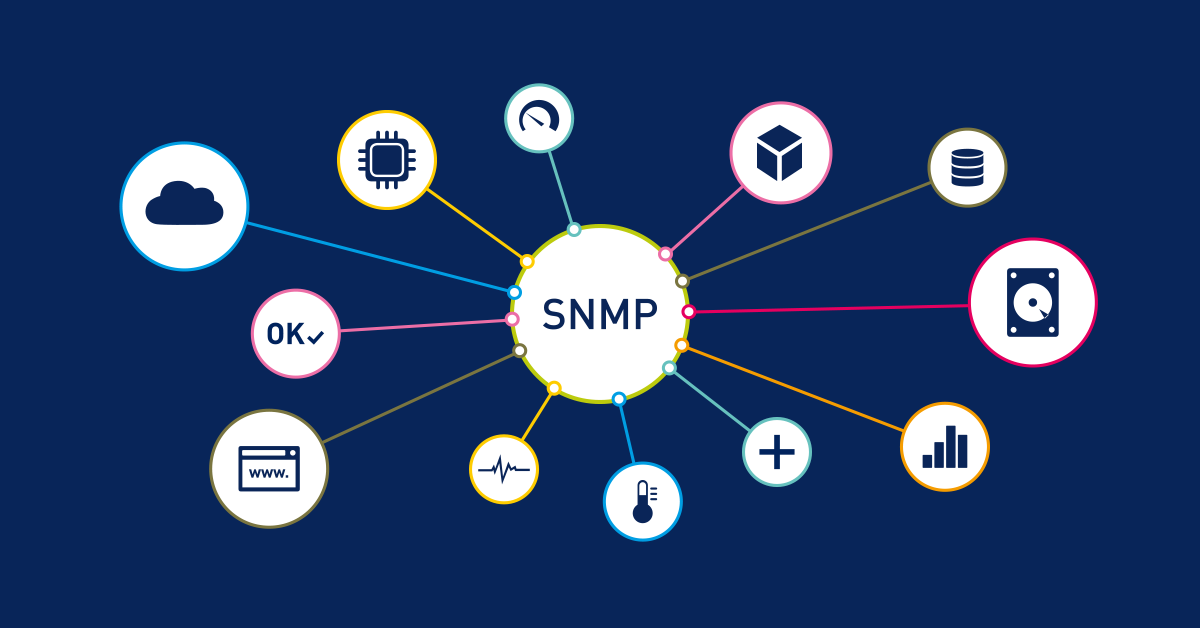
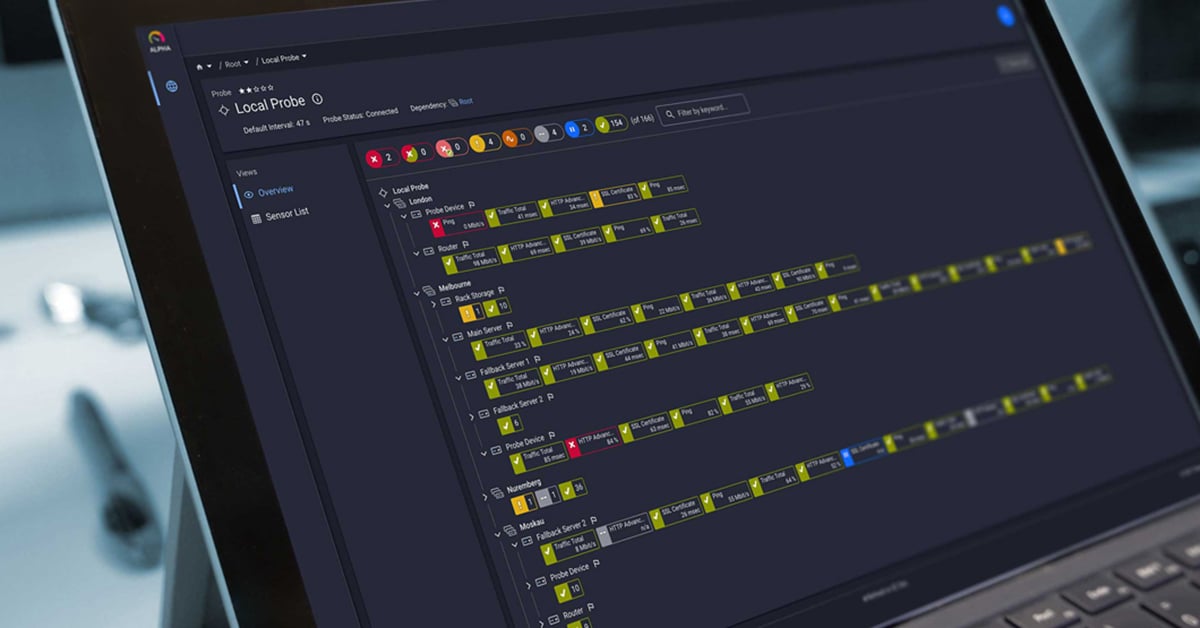
Monitoring software is what makes these habits practical. PRTG Network Monitor is one tool MSPs use for this layer. It monitors infrastructure without agents on every device, using protocols such as SNMP, WMI, and NetFlow, and its auto-discovery finds devices and suggests sensors to get a new customer environment into monitoring quickly. Remote probes installed at each customer site send results to a central core server over TLS-secured connections, so a provider can watch networks behind customer firewalls from one place. MSP licensing lets providers allocate sensors from a main license to sublicenses for customers that need their own installation.
For service delivery, the notification options matter. It can alert by email, SMS, push notification, Slack, and Microsoft Teams, and it can call an HTTP action to pass an alert to another system, for example a ticketing platform that accepts web requests. Reports run on a schedule in PDF, CSV, or XML format, and it can email them directly to a customer contact. If you're building the monitoring layer for your MSP, you can start your free PRTG trial and see how it handles your first customer environment in minutes.
A monitoring tool doesn't replace the rest of the stack. It doesn't patch endpoints, so you still need an RMM. It isn't a ticketing system, so you still need a PSA. And its reporting suits operational summaries; deeper customer-facing business reporting usually means exporting data to other tools. Used for what it does well, it gives the provider the earliest, clearest view of what's happening across every customer.
Frequently Asked Questions
What does MSP stand for?
MSP stands for managed service provider. It's a company that manages some or all of another organization's IT under a recurring contract, usually with an SLA that defines response and resolution times.
What is the difference between an MSP and an MSSP?
An MSP covers general IT management, such as monitoring, help desk, cloud, and backup. An MSSP, or managed security service provider, focuses on security: threat detection, incident response, and security operations. Many MSPs offer security services, and some partner with an MSSP for advanced detection.
What is co-managed IT?
Co-managed IT is a model where an MSP works alongside a company's internal IT team. The internal team keeps the work it knows best, and the MSP covers areas such as after-hours monitoring, patching, security tooling, and projects. Both sides define responsibilities in the contract.
What should an SLA for managed IT services include?
An SLA should state the services covered, response and resolution targets by priority level, the hours of coverage, uptime commitments where relevant, and how performance is reported. It should also say what happens when the provider misses a target, and what falls outside the agreement.
How are managed IT services billed?
Most MSPs bill a recurring monthly fee based on users, devices, or a tiered or flat package. Project work and out-of-scope requests are usually billed separately. Always check how after-hours emergencies, onboarding, and contract exit are handled.
Choosing and Running Managed IT Services
MSP IT services give organizations a way to run reliable IT without building every capability in-house. The core services are proactive monitoring, cybersecurity, cloud management, help desk, and backup and disaster recovery, and the best providers back each one with solid monitoring and clear SLAs.
If you're evaluating a provider, ask how they detect problems before users do and how they prove it. If you run an MSP, the same question applies to your own operation. Either way, the answer starts with monitoring you can trust.
Ready to see what that looks like? Monitor your first customer network free for 30 days with PRTG, or read how Paessler supports MSPs with a dedicated program.


 You there!